I don’t get it, how tf they gonna stop you on phones that already exist?
A. You can disable any new OS or device updates from Google.
B. You can keep your existing phone on Android 16 or prior (hell, I’m on 12)
C. Use alt OS like Graphene, Lineage, Iodé, /e/OS, CalyxOS (they’re back!!), etc
D. Sign out of Google on your phone, install F-Droid or something from APK package on FF derived browser.
I’m sure on brands new devices with that patch, plus anyone who doesn’t disable the auto updates will be blocked. But no way no how can Google stop us all!! 🖕🖕🏻🖕🏿🖕🏼
A. It’s not an OS update. It’s part of Google Play Services.
B. I’m pretty sure this applies even on Android 12 because it’s Google Play Services. Years back, Google started moving functionality like this into Google Play Services so your phone could get new features even if you had a bad manufacturer and OS updates were months or even years behind. It was introduced as a feature then.
C. This does work, but some apps (notably banking apps) block non-Google Android, even if there is no legitimate security reason for doing so. This will vary by OS and even phones running the same OS. Official GrapheneOS builds for officially supported devices probably have the best compatibility with apps in terms of the apps not blocking your phone. Maybe there are some rooted phones that patch apps to bypass “integrity” checks. Some features of your phone just will not work, even if you have a third-party OS with official support for your phone (contactless payments). Hopefully the EU gets on this and at least Europeans or people who can trick their phones into thinking they are Europeans will get some of their control back.
D. Most people can’t live without the apps that are available only on Google’s store or that require Google Play Services. That’s most apps. Even if you don’t need those specific apps, you will need to deal with other stuff like setting up Unified Push if you want to receive timely notifications. My parents are not going to set up a Unified Push gateway.
Most people can’t live without the apps that are available only on Google’s store or that require Google Play Services
Example of that: governments apps, like the eID app for the european eID (which, it’s not a must for everyone but it may be for some specific people or just everyone in a country)


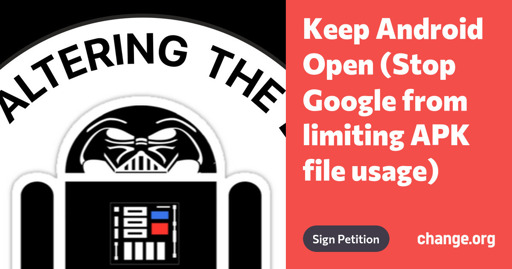
I don’t get it, how tf they gonna stop you on phones that already exist?
A. You can disable any new OS or device updates from Google.
B. You can keep your existing phone on Android 16 or prior (hell, I’m on 12)
C. Use alt OS like Graphene, Lineage, Iodé, /e/OS, CalyxOS (they’re back!!), etc
D. Sign out of Google on your phone, install F-Droid or something from APK package on FF derived browser.
I’m sure on brands new devices with that patch, plus anyone who doesn’t disable the auto updates will be blocked. But no way no how can Google stop us all!! 🖕🖕🏻🖕🏿🖕🏼
A. It’s not an OS update. It’s part of Google Play Services.
B. I’m pretty sure this applies even on Android 12 because it’s Google Play Services. Years back, Google started moving functionality like this into Google Play Services so your phone could get new features even if you had a bad manufacturer and OS updates were months or even years behind. It was introduced as a feature then.
C. This does work, but some apps (notably banking apps) block non-Google Android, even if there is no legitimate security reason for doing so. This will vary by OS and even phones running the same OS. Official GrapheneOS builds for officially supported devices probably have the best compatibility with apps in terms of the apps not blocking your phone. Maybe there are some rooted phones that patch apps to bypass “integrity” checks. Some features of your phone just will not work, even if you have a third-party OS with official support for your phone (contactless payments). Hopefully the EU gets on this and at least Europeans or people who can trick their phones into thinking they are Europeans will get some of their control back.
D. Most people can’t live without the apps that are available only on Google’s store or that require Google Play Services. That’s most apps. Even if you don’t need those specific apps, you will need to deal with other stuff like setting up Unified Push if you want to receive timely notifications. My parents are not going to set up a Unified Push gateway.
Example of that: governments apps, like the eID app for the european eID (which, it’s not a must for everyone but it may be for some specific people or just everyone in a country)
deleted by creator
Try to uninstall it with ADB if it’s already installed on ya phone, i use ShizuTools personally
Yep, just reinstall the OS so that’s removed, and you’re unimpacted. Easy.
deleted by creator
No, it doesn’t come back. Google will not be installed by default.
I’ve never had it on my phone because I never add gapps when installing Android.
deleted by creator
Nah, and when this deadline hits, we’ll see even more people forced to remove gapps.
And there will be a larger user base that won’t be able to use that cruft shady apps that depend on it